I been revisiting lately couple of notes/lab related to Network Address Translations and I think it’s worth to make some write ups on my observations when STATIC NAT is used with BGP.
So basically, Static NAT is a one-to-one mapping of any internal IP address in order to access any servers in the internet. In my experience, I have seen a deployment of static NAT on firewalls for inbound connections in particular servers that are connected on external DMZ’s, e.g. reverse proxy servers.

Configuration requirements:
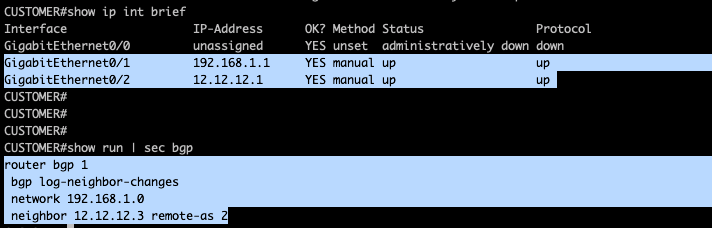
- Run eBGP between Customer router and ISP
- Advertise the internal IP address of Customer ( in production network, this is possible but private IP will definitely not routable and NAT is required. I am intentionally advertising 192.168.1.0/24 so I could analyze some logs on how IP packet traverse on the network)
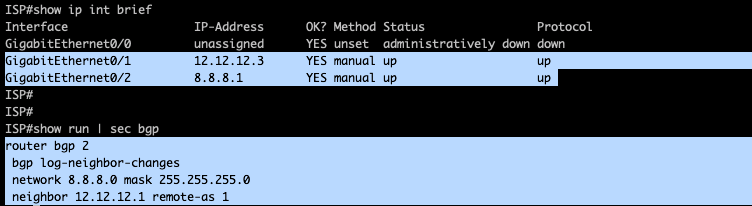
- Advertise 8.8.8.0/24 on BGP from ISP router so this will be reachable from HOST-A.
Configuration:
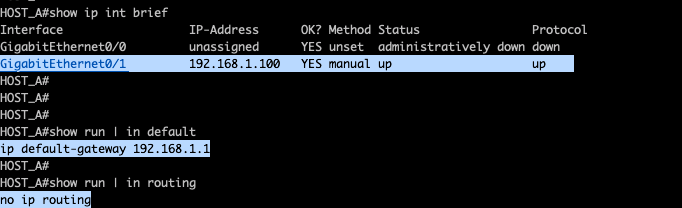
I’m using a router for my host so the above configurations is required. I’m disabling ip routing capabilities and pointing my default-gateway to gateway router.
ISP configs:
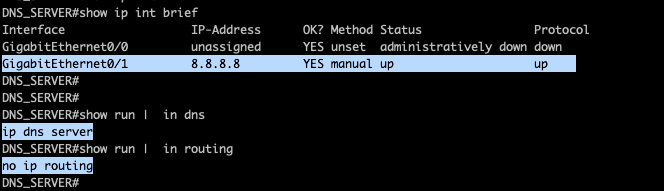
DNS Server configs.
BGP neighbors were formed as seen below:
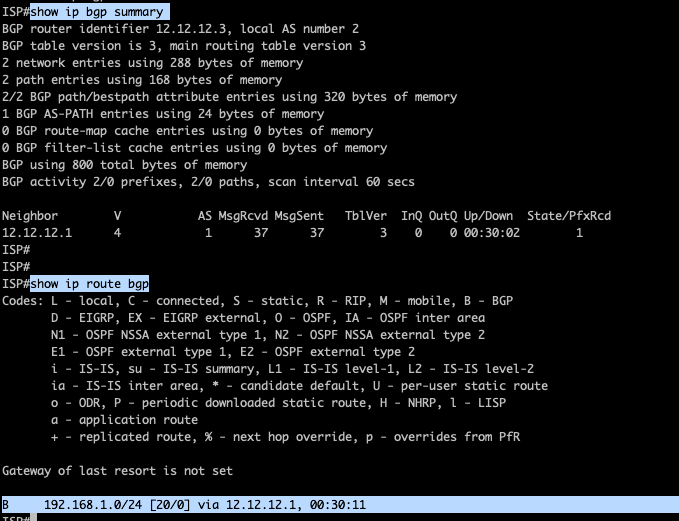
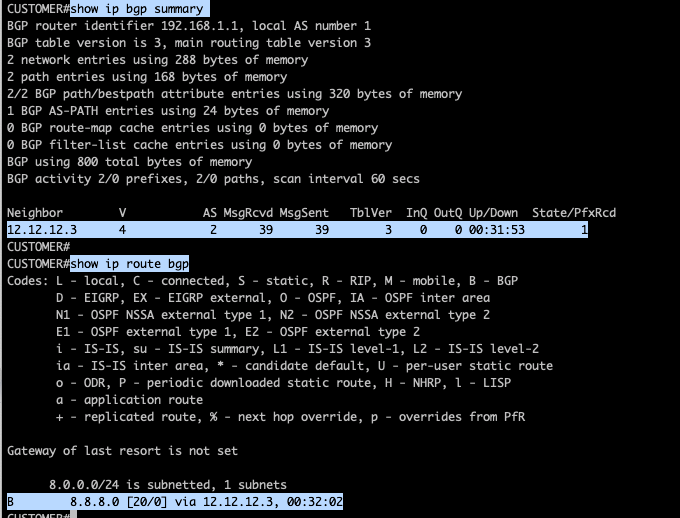
Just to check the traffic between Host-A towards the DNS server, I will be enabling debug on all the devices using ‘debug ip packet“command while running a ping from Host-A towards the DNS server IP 8.8.8.8.
example below which I have run for the ISP router…

Logs on Host-A:

We could see traffic from 192.168.1.100 towards 8.8.8.8.
Logs on Customer router:

As the packet reaches Customer router with the destination 8.8.8.8, it tries to lookup its routing table and could find the destination address reachable via 12.12.12.3. The router have change the original ip packet with the egress interface IP address as the source of the ip packet and the ingress interface IP of ISP router as the destination ip address.
Logs on DNS server:

Logs is showing original ip packet with source ip address of 192.168.1.100 and destination 8.8.8.8. This is expected without network address translations.
Now let me enable STATIC NAT on the Customer router.

To my surprise, I could see a few seconds BGP notification messages ( BGP notifications in BGP means a BAD message ) and the BGP sessions between Customer router and ISP router eventually transition into an ACTIVE state.

As I am aware that my BGP peering is only configured between the IP address of the direct link, I had a thought this could be an issue with NAT as every-time I’m removing the NAT applied on Customer router , BGP sessions were established.
As this is a STATIC NAT , one possible options I could think to solve this issue is to change the BGP peering address, e.g. using a loopback interface
But before going for that options, I will try to used the public facing interface for the translation.

BGP notifications did not immediately came in, as I still manage to run some testing but eventually the BGP sessions went into an ACTIVE state.

With this observations, I know that the inside global address should be routable IP to the internet, the only options is to change the BGP peering with the loopback address.
I have added a loopback address in the Customer router and added a static route for reachability and configured BGP using the loopback address:

Did the same for the ISP router,

and I could see BGP is up and prefix is advertise/received,
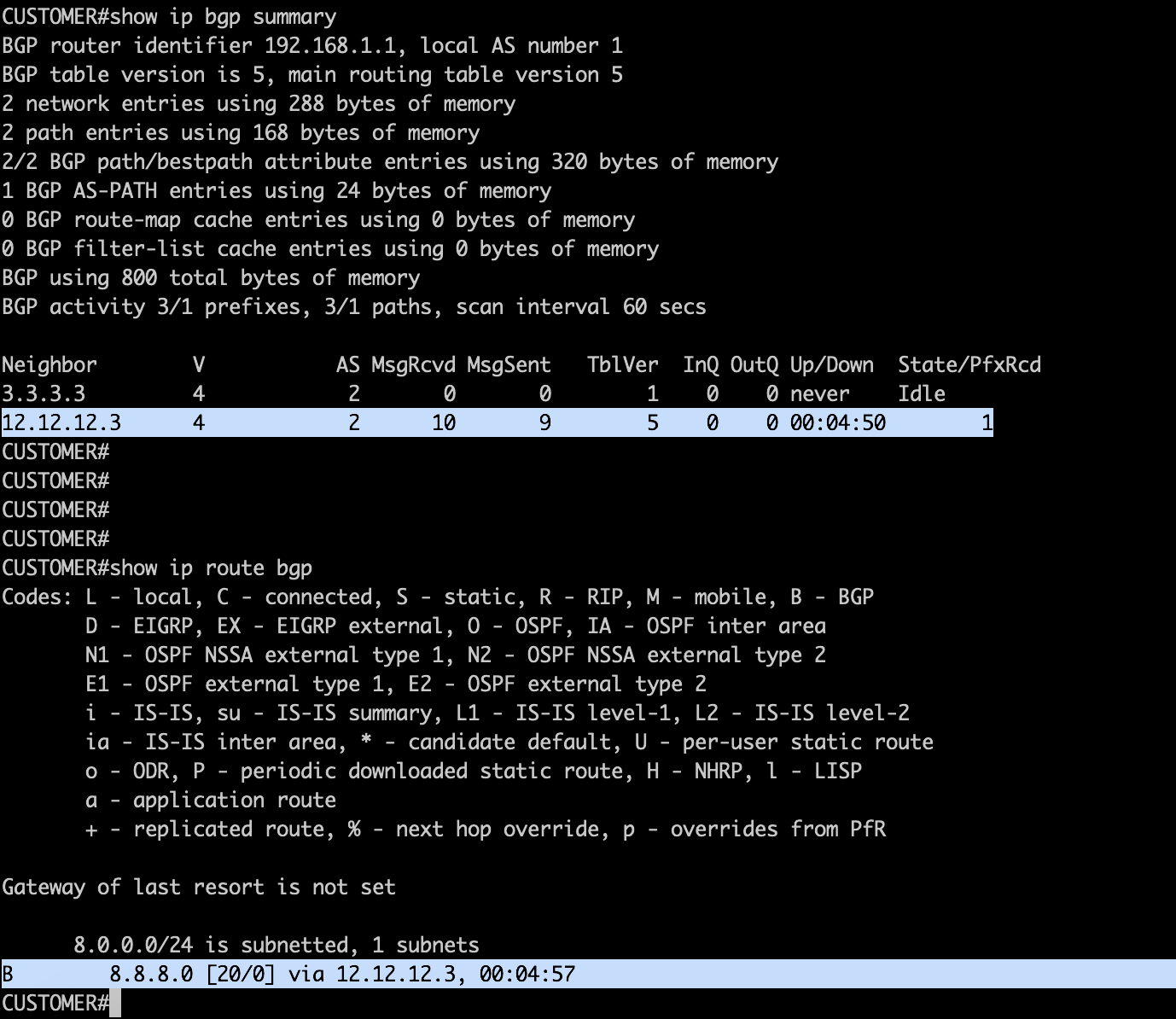
Considering the current NAT configurations on the Customer router, i did my testing to check the translations.

Did a ping and telnet from Host-A and observed translation on the Customer router, NAT table shows the Inside Global address which is the public address of customer router, Inside Local Address which is the private address of Host-A and also both the Outside Local & Outside Global address which is the DNS server. As observed, we could see the corresponding source port which is maintain through out the sessions.

One interesting logs as captured from the DNS server shows that the source address is no longer 192.168.1.100 but changed to 12.12.12.1.

Take away from this lab:
- STATIC NAT Configurations
ip nat source static <inside global address> < outside global address>
2. Enable NAT on the interface:
interface GigabitEthernet0/1
ip nat inside
interface GigabitEthernet0/2
ip nat outside
4. To verify NAT translation:
show ip nat translation
5. BGP does not like that STATIC NAT Inside Global address as a peering IP. Options is to source the BGP TCP connections using a loopback address.
6. On troubleshooting part, use “debug ip packet”. This gives some informations of the source/destination IP during a testing.
********************END OF LAB ****************************************
 NETWORK LESSON
Leave a comment