In my previous post about PPP PAP Authentication, I have explored on the how to configure PAP for both One-Way authentications and Two-Way Authentications.
On this post, I will be exploring another method of PPP authentications which is called CHAP or Challenge Handshake Authentication Protocol. How CHAP works is that it uses a three way handshake to exchange and validate the authenticity of the participating devices before PPP sessions are activated.
The client router is manually configured with the remote username and password . For both PPP PAP and PPP CHAP One-way authentications, the client router has no “ppp authentication” configurations under the interface mode. This is the distinct difference between a Two-way authentications in terms of the configurations.
Let’s jump into the device configurations with the following LAB topology.

R1: Highlighted the configurations which I have added on R1
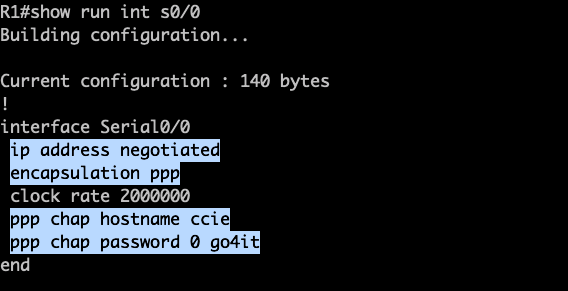

R2: Highlighted the configurations which I have added on R2.
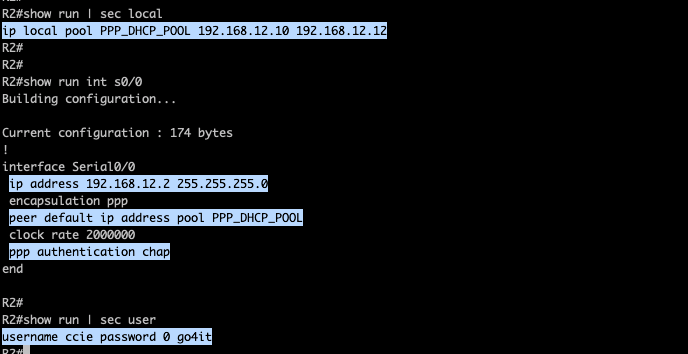
Again on R2, I have the the IP Pool that will be assigned on R1. PPP authentication is enabled and I have the username and password that will be used by R1 for the CHAP handshake initiated by R2.
Let me enable the interface in R1 while running a debug to analyzed the PPP negotiations.
- Both routers agreed to used CHAP.
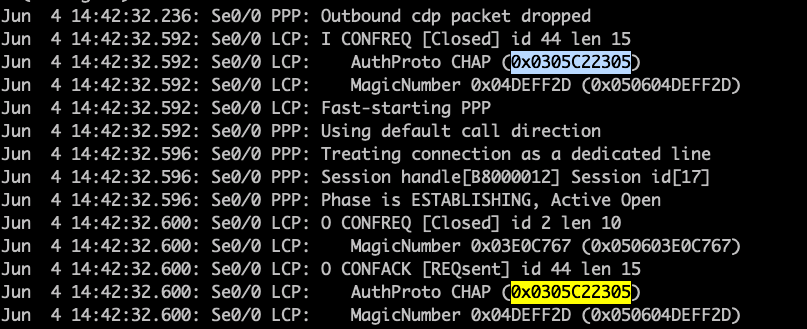

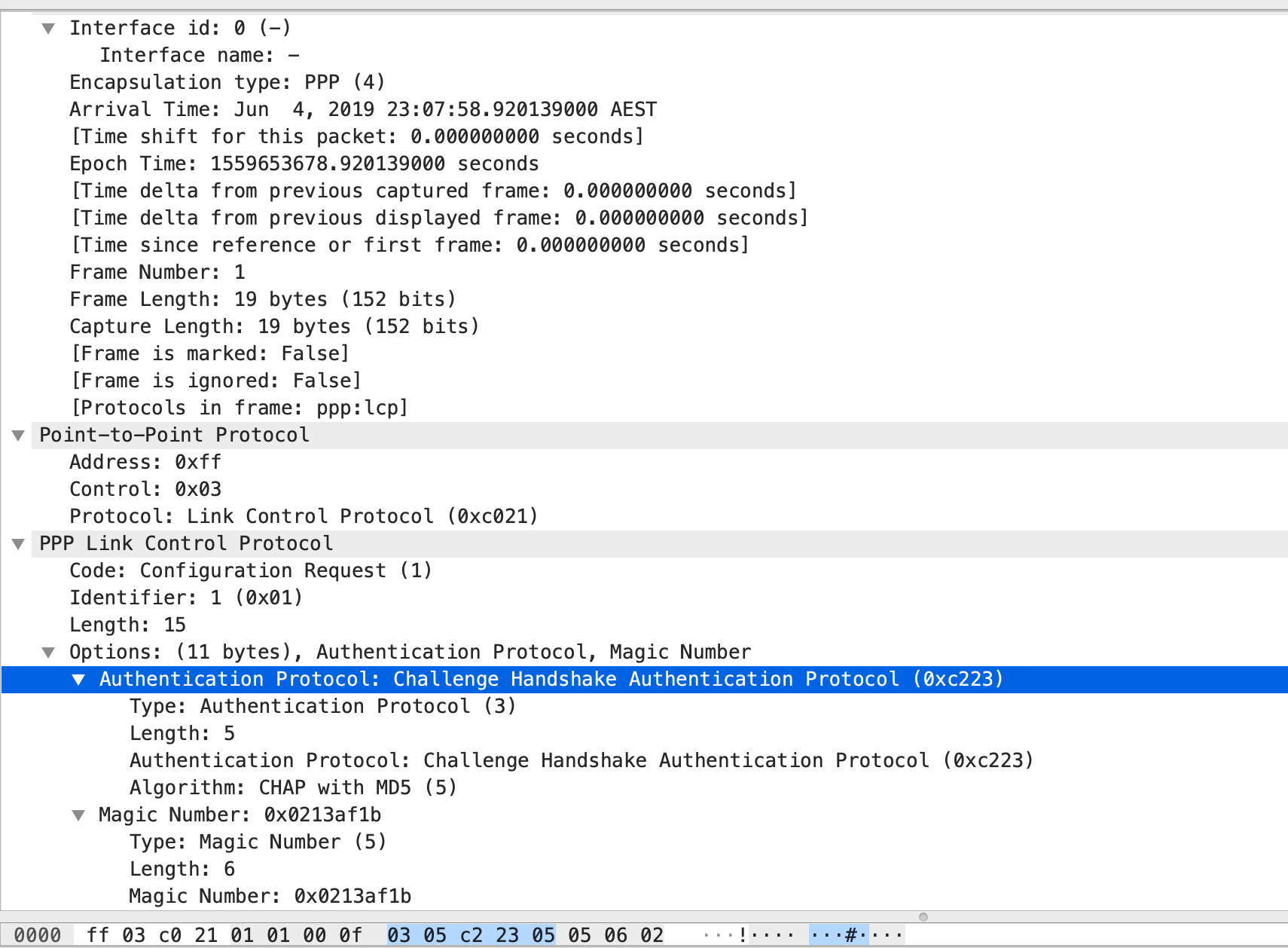
2. R1 received a CHAP challenge from R2. The way how this works is that R2 is sending a CHAP challenge with R1. R2 is generating a random MD5 hashing value which includes the local router authentications and this MD5 value is sent out to R1. In response, R1 have created with own version of hashing value which includes details of the existing authentication configured and this is sent out towards R2. R2 will then check the CHAP response and when it decode that R1 is using the same authentication, it will send out a SUCCESS Message to R1, thus both of them are now friends. 🙂

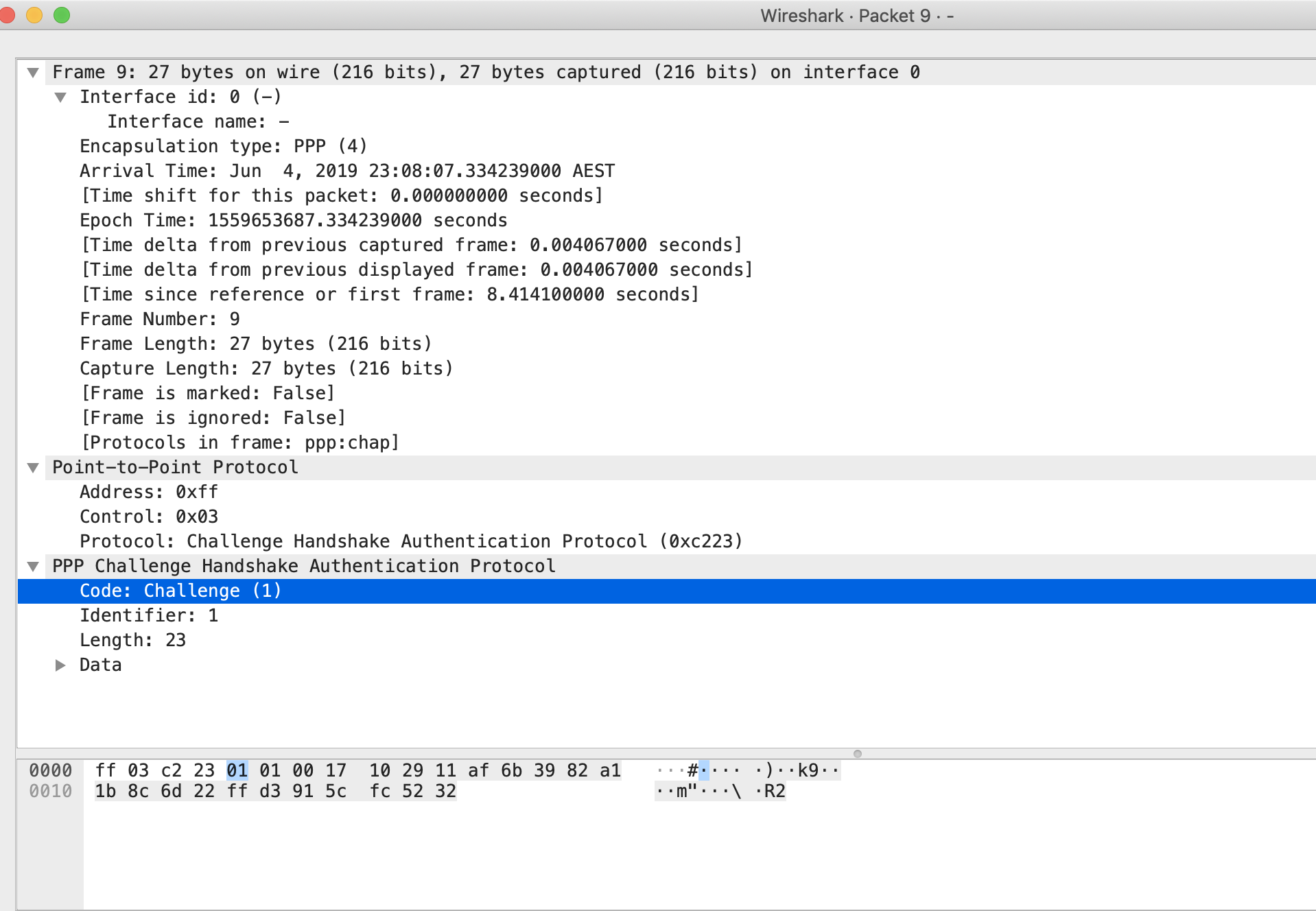

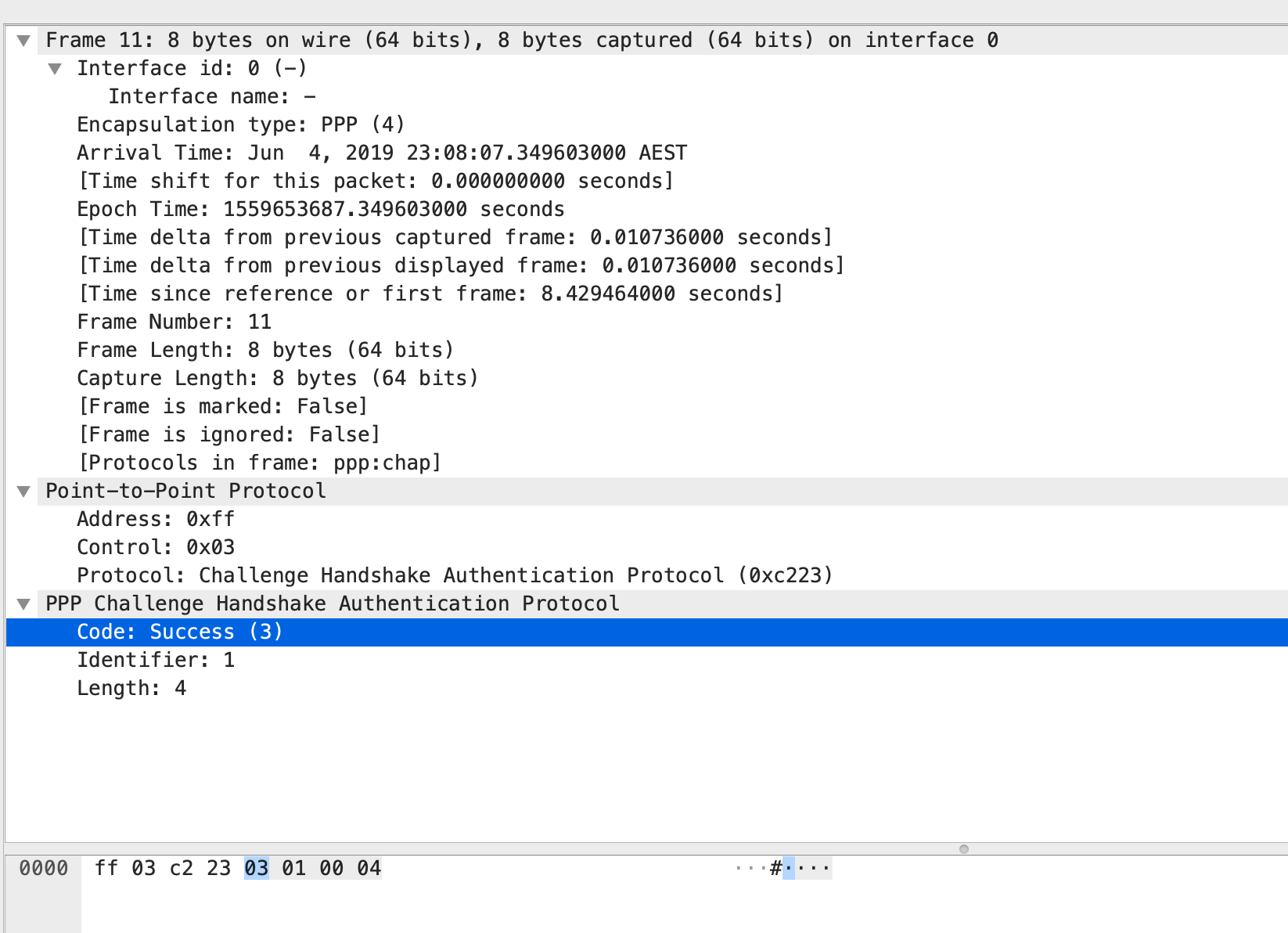
3. PPP Internet Protocol Control Protocol (IPCP) and PPP Cisco Discovery Protocol Control Protocol (CDPCP) will be send by both R1 and R2. Let dissect each one by one.
R2 is sending a IPCP Configuration Request to R1. R2 is providing details to R1 including its IP address.
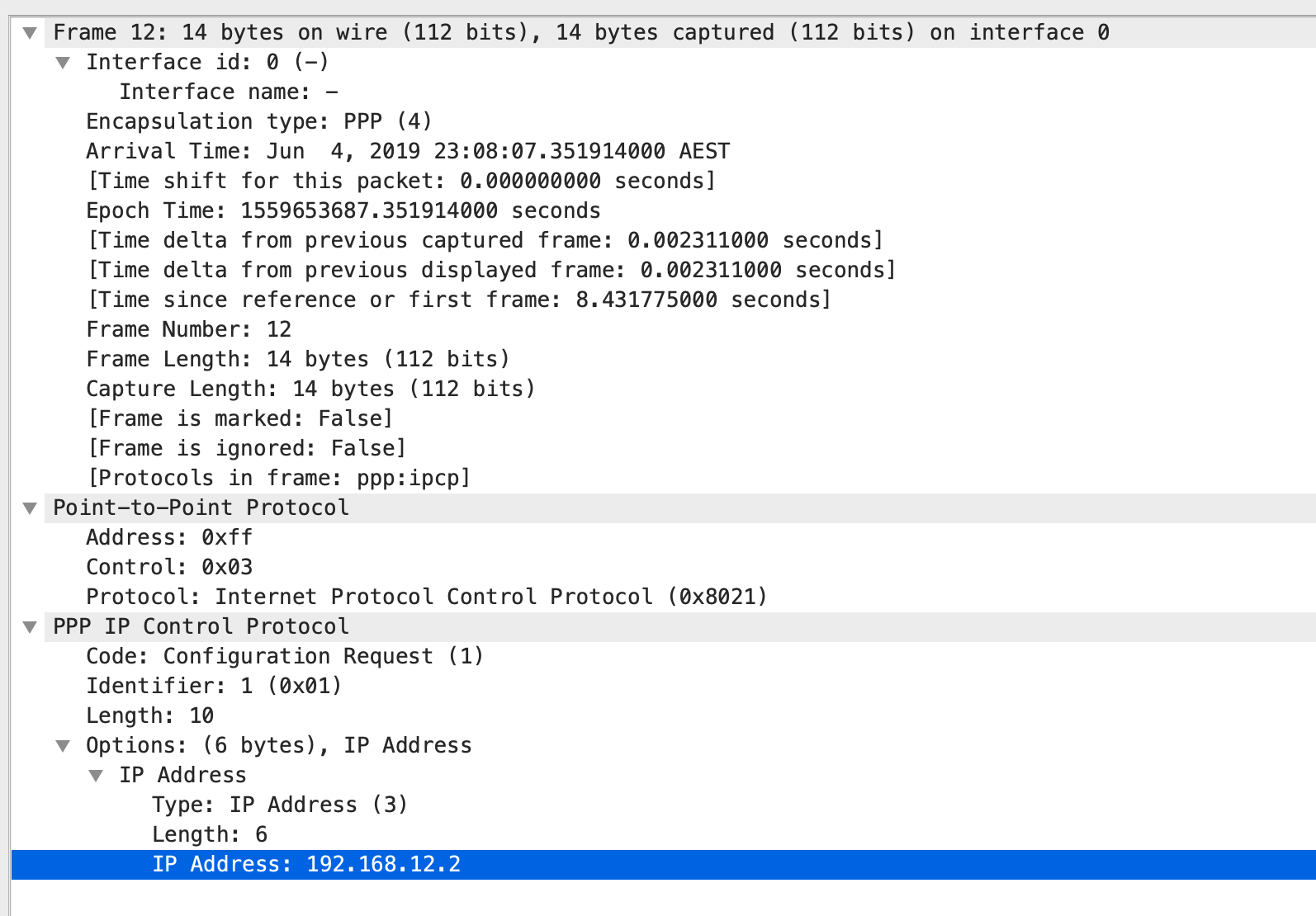
R2 is also sending PPP CDPCP Configuration request to R1 after sending the IPCP.
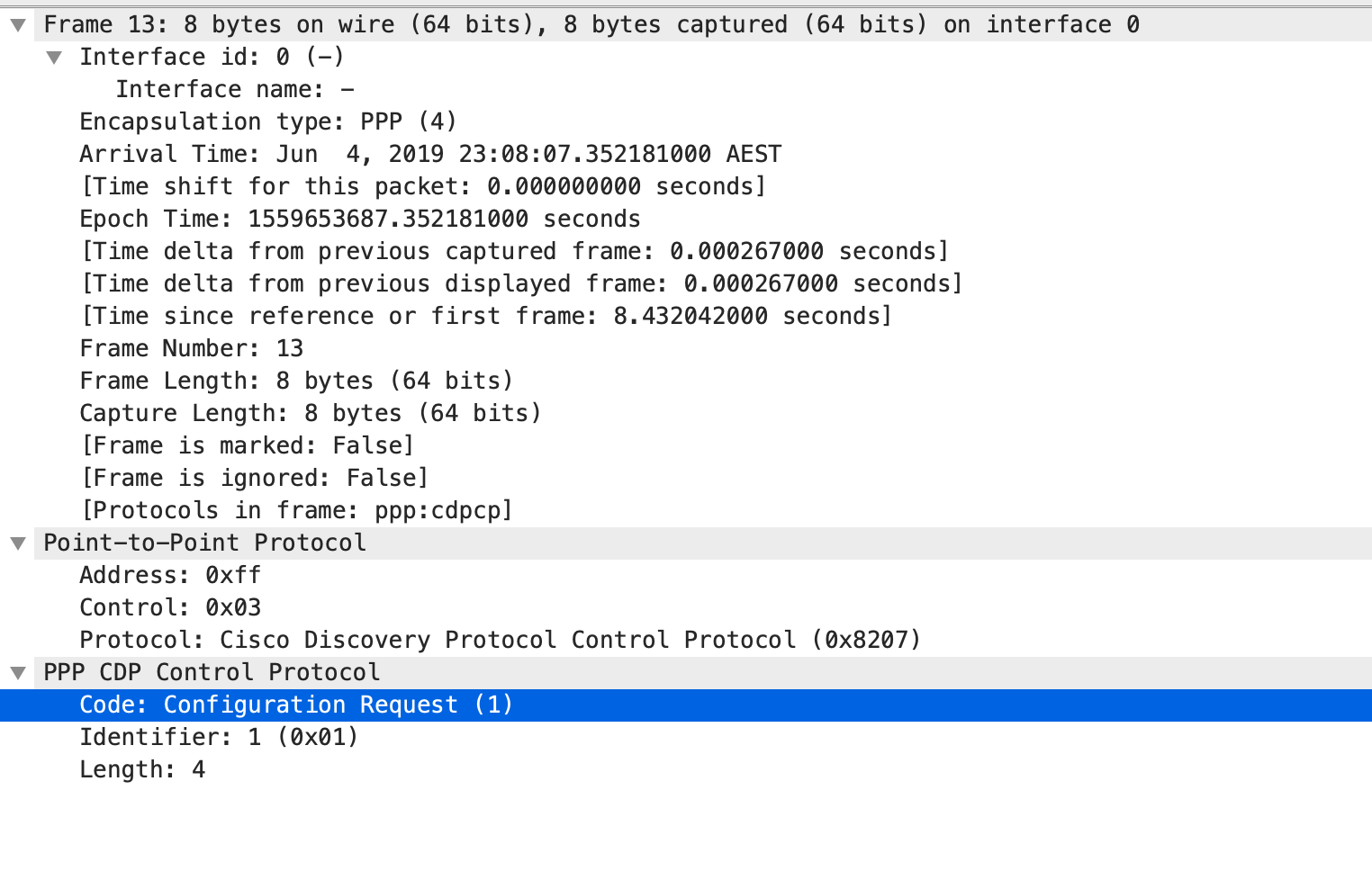
Meanwhile, R1 will also send IPCP and CDPCP Configuration Request to R2. It is interesting to note here that R1 will provide details that its has no IP address,

As seen below, both R1 and R2 is exchanging Configuration details. As we know from the configurations, we have assigned an IP address on R2’s serial interface but we have not assigned any to R1 serial port. There was response below from R2 – Configuration-NAK ( or Configuration Negative-Acknowledgment) in which R2 is proposing a new IP to R1 from the IP pool set up on R2.

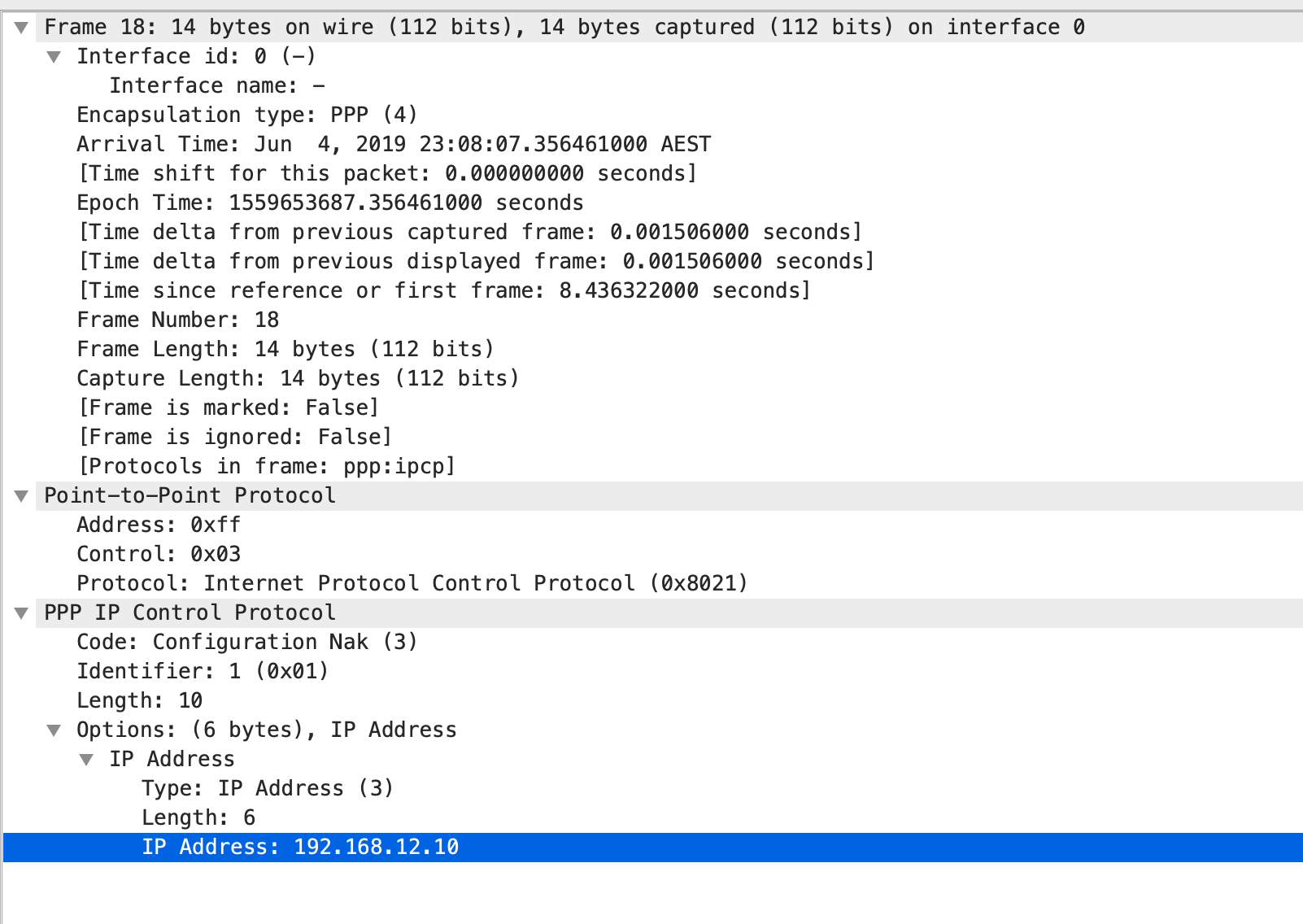
As we could also see that Line 21 shows a Configuration Acknowledgment from R1 and it already shows the IP address that is assigned for its serial interface.

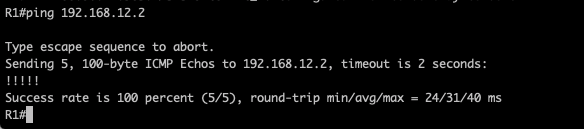
As observed R1, its been assigned with 192.168.12.10 and reachability is established using PPP CHAP One-way Authentications.

########################END OF LAB ############################
 NETWORK LESSON
Leave a comment